WhatsApp Catalog for Indian Sellers: What Works, What Breaks, and What to Do Next (2026 Guide)
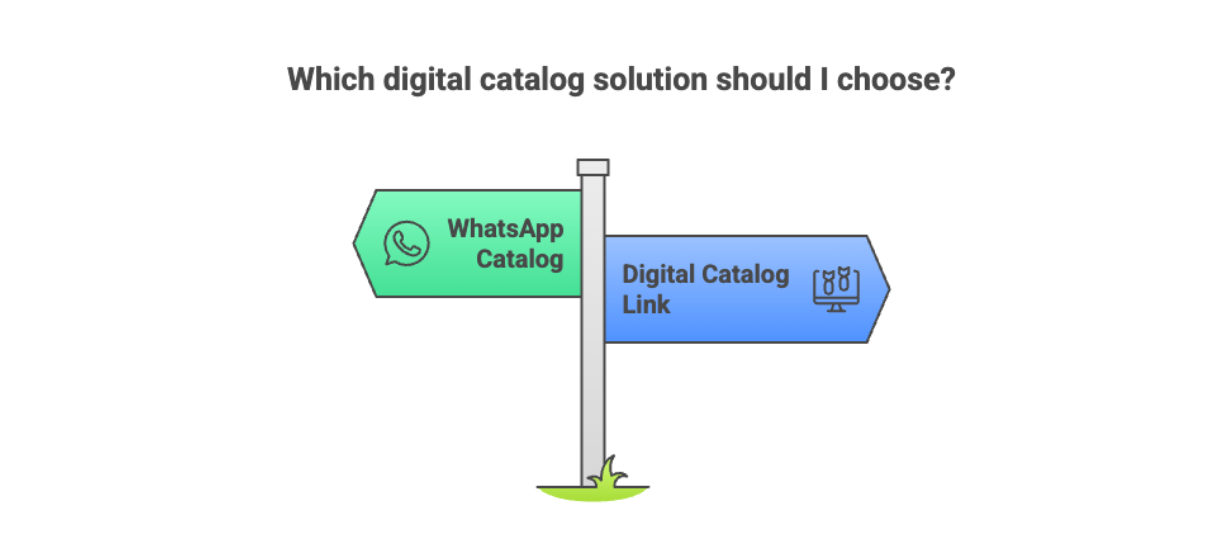
If you sell on WhatsApp in India, chances are you’ve already heard this advice:
“Just make a WhatsApp catalog.”
And yes for many Indian sellers, the WhatsApp catalog is the first step away from PDFs and endless photo sharing.
But here's the honest truth most guides don't tell you: WhatsApp catalogs work well at the start — and then hit limits very quickly. And those limits are exactly why small shops quietly lose WhatsApp orders before they even realise it.
WhatsApp catalogs work well at the start and then hit limits very quickly.
This guide breaks down:
- What a WhatsApp catalog actually is
- How Indian sellers really use it
- Where it helps (and where it quietly hurts sales)
- And how sellers scale beyond it without breaking their WhatsApp number or workflow
What Is a WhatsApp Catalog?
A WhatsApp catalog is a built-in feature in the WhatsApp Business app that allows sellers to upload products with images, prices, and descriptions so customers can browse inside WhatsApp without downloading PDFs. It works well for small inventories but becomes difficult to manage as products grow.
Instead of sending PDFs or dozens of images, you can:
- Upload product photos
- Add prices (₹), descriptions, and product codes
- Share individual products or the full catalog in chat
For customers, it feels like browsing a mini store inside WhatsApp itself.
That’s why it’s popular with:
- Home bakers
- Boutiques
- Resellers
- Small local shops
- Instagram sellers
No website. No tech setup. No PDFs.
Why WhatsApp Catalog Became Popular in India
Indian sellers adopted WhatsApp catalogs fast because they solve three big problems:
- Customers hate PDFs - selling on WhatsApp without PDFs is something most sellers figure out only after losing enough orders. PDFs don't open, take space, and feel outdated. Catalogs open instantly.
- WhatsApp already has trust Customers are comfortable clicking inside WhatsApp.
- Zero upfront cost The catalog is free and built into WhatsApp Business.
For a seller with 10–20 products, this feels like a perfect solution.
How Indian Sellers Set Up a WhatsApp Catalog
The real-world workflow looks like this:
- Open WhatsApp Business
- Go to Settings → Business Tools → Catalog
- Add product photos, price, description
- Wait for approval (a small clock icon appears)
- Share the catalog link or product messages in chat
This approval step is important — and often overlooked.
Limitations of WhatsApp Catalog for Growing Businesses
This is where many Indian sellers start facing issues.
1.Approval Delays & Product Rejections
WhatsApp reviews catalog items using Meta’s automated systems.
Common rejections happen for:
- Branded replicas
- Supplements
- Cosmetics
- Certain food items
- Aggressive pricing or descriptions
Sometimes approval takes minutes.
Sometimes hours.
Sometimes products never go live.
For a seller, that means lost momentum.
2.Scaling Problems Beyond 50+ Products
Uploading:
- 100+ products
- Multiple sizes or colours
- Frequent price changes
…all from a mobile phone interface quickly becomes frustrating.
There’s no bulk upload.
No spreadsheet import.
No desktop-friendly flow.
3.Branding & Trust Limitations
Every WhatsApp catalog looks the same.
No:
- Brand colours
- Store banner
- Custom layout
- Domain name
To customers, it feels like:
“This is a WhatsApp seller”
not
“This is a serious brand.”
That perception matters when competition is high.
4.No Analytics or Buyer Visibility
A WhatsApp catalog doesn’t tell you:
- Who opened it
- Which product they viewed
- Where they dropped off
If a customer goes silent, you’re guessing.
5.Risk of WhatsApp Restrictions
This is a big, unspoken fear.
Sending:
- Too many product messages
- Too many images
- Repeated catalog shares
…can trigger WhatsApp spam signals.
For many sellers, losing their WhatsApp number is a business nightmare.
Payments & Checkout Using WhatsApp Catalog
In India, WhatsApp catalogs can be combined with:
- WhatsApp Pay (UPI)
- Payment links (Razorpay, PayU, etc.)
Typical flow:
Browse catalog → confirm in chat → receive payment link → pay via UPI
This works — but still relies heavily on manual follow-ups.
There’s no clean “checkout experience” like customers expect today.
WhatsApp Catalog vs Digital Catalog Link (Comparison)
This is the most important mindset shift.
Think of the native WhatsApp catalog as:
Before going further, it helps to understand what a digital catalog actually is because the WhatsApp catalog is just one version of it.
- ✅ Great for testing
- ✅ Fine for very small inventories
- ❌ Not designed for growth, branding, or scale
That’s why many Indian sellers eventually look for a link-based digital catalog, something that still works with WhatsApp, but isn’t trapped inside it.
The Modern Approach Indian Sellers Are Moving Toward
Instead of sending:
- PDFs
- Dozens of product messages
- Heavy WhatsApp catalogs
Sellers now prefer sending one safe, professional link. If you're wondering how to create a live catalog link for WhatsApp, the process is simpler than most expect.
The experience becomes:
Share link → customer browses → adds to cart → sends order on WhatsApp → pays
This keeps:
- WhatsApp clean
- Conversations focused
- Selling professional
Tools like SellEzzy exist in this space not to replace WhatsApp, but to make WhatsApp selling scalable.
That’s why many sellers use:
- WhatsApp for conversations
- A digital catalog link for discovery and ordering
This split — WhatsApp for chat, catalog for discovery — is also at the heart of the Dukaan vs WhatsApp-first selling debate happening across Indian ecommerce right now."
When Should You Move Beyond WhatsApp Catalog?
You should consider the next step if:
- You sell more than 30–40 products
- Prices change often
- Customers keep asking the same questions
- You want to look more professional
- You’re worried about WhatsApp restrictions
- You want to use Instagram ads or Google listings
This is where a WhatsApp-first digital catalog system makes sense.
Final Takeaway
WhatsApp catalogs are useful, free, and familiar and every Indian seller should try them.
But they were never designed to:
- Replace a real selling system
- Handle scale
- Build a brand
- Or protect your business long-term
The smartest sellers don’t fight WhatsApp.
They build around it using tools that respect how Indian customers already buy.
If you’re still selling via PDFs or struggling with catalog limits, the problem isn’t WhatsApp.
It’s the system around it.
Frequently Asked Questions About WhatsApp Catalog
1. What is a WhatsApp catalog?
A WhatsApp catalog is a feature inside WhatsApp Business that allows sellers to upload products with photos, prices, and descriptions so customers can browse items directly inside chat.
2. Is WhatsApp catalog free to use in India?
Yes. WhatsApp catalog is free inside the WhatsApp Business app. Sellers only need a business profile to start adding products.
3. How many products can I add to a WhatsApp catalog?
WhatsApp allows up to 500 products, but managing large inventories manually from a mobile interface becomes difficult beyond 50–100 products.
4. Why do WhatsApp catalog products get rejected?
Products may be rejected due to Meta’s automated review system. Common reasons include branded replicas, supplements, cosmetics, restricted items, or policy violations.
5. Does WhatsApp catalog show analytics or product views?
No. The native WhatsApp catalog does not provide detailed analytics about who viewed products or which items received the most interest.
6. What is the best alternative to WhatsApp catalog for growing sellers?
Many sellers move to link-based digital catalogs that integrate with WhatsApp but offer better organization, branding, analytics visibility, and easier updates.